

If you use a third-party tool to pull QuickBooks Online reports into Google Sheets, you may already know something is about to change. And if you haven't looked into it yet, now is a good time.
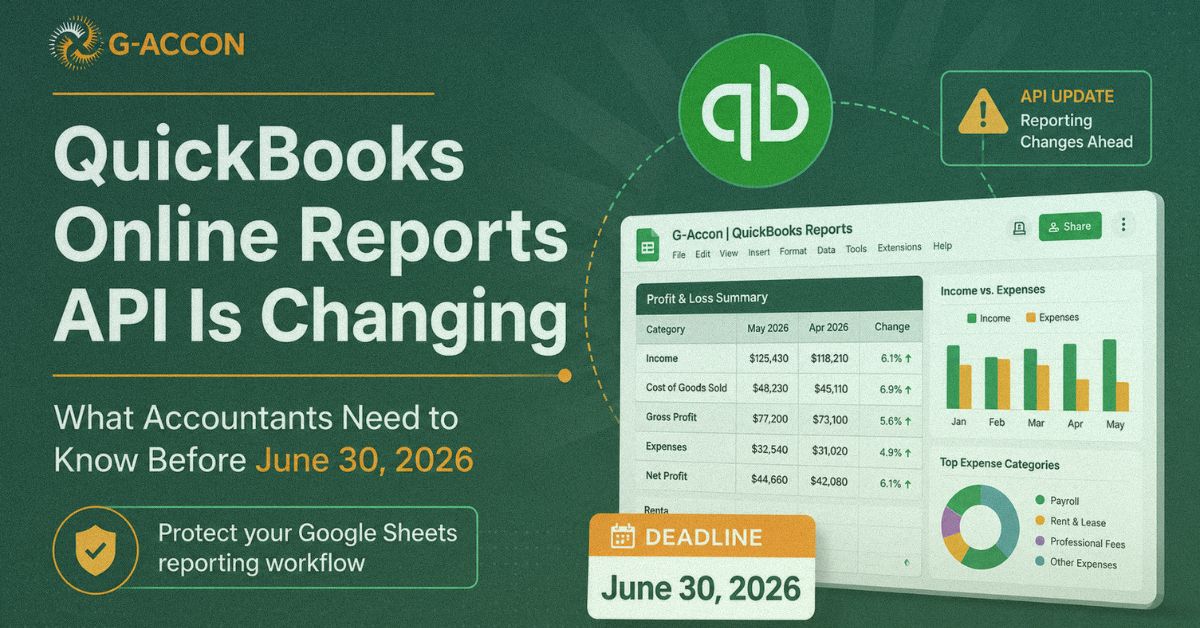
QuickBooks Online is moving its Reports API to a modernized reporting service, the same one that now powers the newer report view inside QuickBooks itself. After June 30, 2026, all report API responses will be served through that modernized service. For some users, this may not change much. Standard reports such as Profit & Loss, Balance Sheet, Cash Flow, General Ledger, and Trial Balance remain on Intuit's supported Reports API list.
But for accountants and bookkeepers who rely on transaction-level reports, list-style reports, or custom Google Sheets dashboards built around older report behavior, this change matters. A number of reports, particularly those built on undocumented API endpoints that third-party tools may have relied on, will no longer be supported after the deadline.
That is why so many QuickBooks Online users are now asking the same question: What happens to my reporting workflow after June 30?
What Is Actually Changing With QuickBooks Online Reports?
Intuit has confirmed that QuickBooks Online's Reports API is being updated to use the modernized report service. Apps do not need to change their API request URL or body, but Intuit has warned that there will be response differences, meaning the structure, fields, row order, grouping, and output behavior of some reports may not look exactly the same as before.
Intuit has also confirmed that only documented Reports APIs will be supported going forward. If a third-party tool was using undocumented report endpoints to pull certain reports, those reports may no longer be available through the API after June 30.
Some of the affected report types being discussed by LiveFlow users include:
| –Transaction Detail | –Sales by Customer Detail |
| –1099 Transaction Detail | –Sales by Product/Service Detail |
| –1099 Contractor Balance Summary | –Time Activities |
| –BalanceSheetDetail | –Unbilled Charges |
| –Bill Payments List | –Unbilled Time |
| –Bills and Applied Payments | –Unpaid Bills |
| –Check Detail | –Vendor Contact List |
| –Class List | –Open Invoices |
| –Collections Report | –Open Purchase Orders |
| –Customer Contact List | –Open Purchase Orders Detail |
| –Estimates by Customer | –Product/Service List |
| –Estimates vs. Actuals | –Project Profitability |
| –GST/HST Detail | –Purchases by Product/Service Detail |
| –Invoice List | –Recurring Template List |
| –Invoices and Received Payments |
That is a serious list for any firm that depends on QuickBooks data every day.
Why This Is Catching People Off Guard
A lot of accountants and bookkeepers have spent years building reporting workflows around QuickBooks, custom Google Sheets that pull live data, refresh on a schedule, and feed directly into client dashboards or internal review processes. These setups took real time to build and have become a core part of how many firms operate.
The challenge with a platform-level change like this is that it can quietly break things that felt permanent. A report stops refreshing. A tab stops updating. A dashboard shows old numbers. A client asks why something looks off. And by the time the team traces it back to the source, month-end work is already in motion.
This is not a LiveFlow-specific issue. Any app that pulls report data from QuickBooks Online through the API is dealing with the same underlying shift. But firms that have built complex, multi-tab dashboards around transaction-level reports are the ones most at risk, because those are exactly the reports most likely to be affected.
Nobody wants to find that out on July 1.
Why Transaction-Level Detail Matters
For accountants and bookkeepers, summary reports are not always enough.
A Profit & Loss can show that expenses went up, but it may not show the exact transactions behind the increase in the format your team needs. A Balance Sheet shows the balance in an account, but your team still needs the underlying activity to review entries, find errors, or answer a client question with confidence.
The filters that make transaction detail useful, by account, account type, class, location, vendor, customer, transaction type, date range, paid or unpaid status, and item, are what allow firms to do real work inside spreadsheets. Not just viewing numbers, but reviewing them, reconciling accounts, tracking vendor activity, monitoring billable time, and building client-facing reporting packs.
Many firms have spent years building these workflows. They are not just exporting reports for convenience. They are running real reporting processes around them. So when those reports are at risk, it is not simply a technical question; it is a workflow question and a client service question.
What to Look For in a Replacement Tool
If you are evaluating alternatives, a few things are worth keeping in mind before you commit to anything, including whether you want a dedicated QuickBooks sync alternative built specifically around this use case.
|
Transaction-level detail with real filtering Whatever tool you move to should pull the same granular detail, by account, class, vendor, customer, transaction type, not just high-level summaries. Test it with real client data before you decide. |
Native Google Sheets integration You need a tool that syncs directly and refreshes automatically. Having to manually export and re-import defeats the purpose of the setup your team already relies on. |
|
A strong relationship with Intuit A tool with closer access to Intuit's teams and update channels is better positioned to adapt when things shift, both now and for future platform changes. |
Pricing that scales with your client base Per-client pricing can look reasonable for a few clients, but becomes hard to justify at scale. Do the full math across your client count before switching. |
Where G-Accon Fits In
For firms reviewing their options, G-Accon is one tool worth testing seriously. G-Accon connects QuickBooks Online with Google Sheets and is built specifically for accountants, bookkeepers, and finance teams that need live reporting, scheduled refreshes, and detailed data access inside spreadsheets. Its Detailed Transactions report exports directly into Google Sheets and supports filtering by date range, account type, transaction type, class, location, customer, vendor, item, paid status, and more.
For firms used to working with granular QuickBooks data, it tends to feel familiar fairly quickly, because the flexibility is built in, not bolted on. G-Accon also supports multiple client connections from a single login, with automated refreshes that run hourly or daily. That means your data stays current without anyone on your team having to trigger it manually.
On the partnership side, G-Accon holds Platinum status with Intuit, the highest partner tier available. That means closer access to Intuit's platform updates and support channels, which matters in moments exactly like this one. No tool can control every decision Intuit makes, but a tool closely connected to the QuickBooks ecosystem is better positioned to respond and adapt when changes happen. Existing QuickBooks customers can check the current Intuit partner offer for details.
Pricing is $150 per month for up to 25 client companies, about $6 per client. For accounting firms managing multiple clients, that number tends to hold up well against alternatives in this space.
A Note on Tags
One concern that has come up in user conversations is tags. Some QuickBooks users relied on tags for reporting, then lost access or had trouble rebuilding those views after switching tools or workflows.
If tags are part of your reporting process, add them to your testing checklist before you migrate. Look at how your current reports use tags and whether the same logic can be rebuilt using available dimensions, class, location, customer, vendor, account, item, or transaction type. In many cases, it can. But test it with real client data first, not a sample file.
What to Do Before June 30
The safest move is to review your reporting setup now, not after the deadline. Start by listing every QuickBooks report you currently pull into Google Sheets through LiveFlow or any other third-party tool. Then identify which dashboards, client reports, and internal sheets depend on those reports.
A simple testing plan to follow:
This does not have to be a large project. But it does need to happen before the reports break, not after.
Protect Your QuickBooks Online Report Workflow Before June 30
QuickBooks Online is not removing every report from its API. Many standard reports remain supported. But the move to the modernized Reports API does affect how third-party tools pull and return certain report data, and undocumented report APIs will no longer be supported after June 30, 2026.
For LiveFlow users who rely on transaction-level QuickBooks Online report data inside Google Sheets, this is worth taking seriously and acting on now. The firms in the best position are the ones testing today, not finding out what broke on July 1.
Want to see how G-Accon handles your specific reporting setup? Pick one client, run the Detailed Transactions report, and compare it with your current output. Our team is happy to walk you through it.