

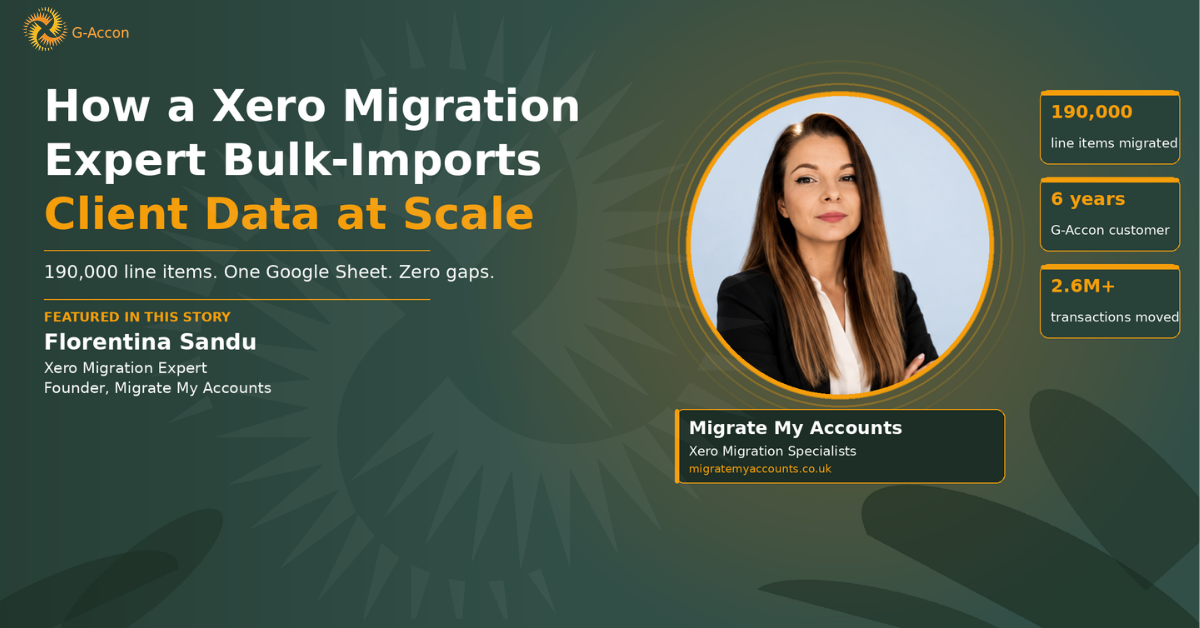
That is how Florentina Sandu describes the process before she found G-Accon for Xero. She is the founder of Migrate My Accounts, a UK-based firm specialising in complex accounting system migrations to Xero.
In the years since she made the switch, Florentina has processed a single general ledger migration containing 190,000 double-entry line items through a Google Sheet. The data landed in Xero without a gap.
This is how she does it.
Who Florentina Sandu Is, and Why Xero Migrations Are High-Stakes
Florentina started out as an accountant and bookkeeper, working in practice helping clients with financial reporting. Over time her focus shifted to the part of the job that most people avoid: the moment when a business decides to abandon its existing accounting system and move everything to Xero. She built Migrate My Accounts around that speciality.
The work she takes on ranges from small single-entity moves to group migrations spanning dozens of companies and millions of transactions. According to client reviews on her website, she has migrated 33 companies totalling 2.6 million transactions for a single client, completed in under four months.
She has transferred 10 years of transaction history from Microsoft Dynamics NAV into Xero, reconciling every entry to the penny. The scope of what she handles routinely is, by most standards, extreme.
Migrations are unforgiving work. A single miscategorised transaction or a dropped record in the general ledger does not announce itself. It sits quietly until someone reconciles months later, by which point tracing the error back through a bulk import is slow, painful, and sometimes embarrassing in front of a client. Getting it right the first time is not just preferable. It is the whole job.
UK-based Xero migration specialists serving businesses in the UK, Australia, South Africa, and across Europe. Founded by Florentina Sandu, the firm handles migrations from Sage 200, Access Dimensions, Microsoft Dynamics, Exchequer, Twinfield, QuickBooks, and other legacy systems into Xero. migratemyaccounts.co.uk
The Old Way: Manual Exports, Python Scripts, and a Thousand-Contact Ceiling
Before G-Accon, Florentina used two approaches to move data into Xero, and neither of them scaled well.
The first was Xero's own CSV import tools. Xero does offer bulk import functionality, and it covers the basics. But it has hard limits built in. Bulk contact updates via CSV cap at 1,000 contacts per file. Anything larger means splitting the data manually, uploading in batches, and then hoping each batch matches the next without any gaps in the sequence.
The second approach was building her own solution. She wrote Python scripts to call Xero's API directly. That gave her more control and removed the contact ceiling, but it created a different problem: "I used to use Python to do the API connection. It was so hard, so difficult." Every migration required custom code. Any change to the migration scope meant rewriting the script. The technical overhead was significant.
The reporting side had its own version of this problem. Management account reports were spread across 27 spreadsheet tabs, rebuilt into a PDF manually every time a number changed. The process was not broken in a way that was obvious. It was just relentlessly slow.
How She Found G-Accon
Florentina did not find G-Accon through a product recommendation or a conference. She found it through a Google search. She was looking for a practical answer to the question of how to import transactions into Xero without writing code, and the search results brought her to G-Accon.
That was six years ago. She has been a G-Accon customer since. What kept her using it was not just the initial convenience. It was that the tool actually handled the scale she was working at. The confirmation status for each import gave her verification that the data had landed correctly in Xero. The API connection she had been writing in Python was now handled by an add-on that any team member could operate.
How Florentina Uses G-Accon Today
Bulk Contact and Transaction Imports
The core of her G-Accon workflow is bulk import work. In her words: "We do bulk transaction imports. That's probably our main use of G-Accon. We import invoices, credit notes, bank transactions, inventory adjustments, and everything that is allowed to be done through Xero; we can also do through G-Accon."
That last phrase is significant. Anything the Xero API supports, G-Accon exposes through the spreadsheet. For a migration specialist, that means a single, consistent interface for all the different data types she needs to move, rather than a separate process or tool for each one. The 1,000-contact ceiling that forced manual batch splitting is not a constraint she hits with G-Accon.
Correcting Historical Data at Scale
The most striking example came up during a webinar conversation, when Florentina described a migration involving a general ledger with 190,000 double-entry line items. All of it went through a Google Sheet.
That is a meaningful proof point for anyone who assumes spreadsheet-based tools have a hard ceiling on data volume. The 190,000-line migration did not require a different tool or a custom engineering solution. It required the same G-Accon workflow Florentina uses for every other migration.
When historical data in Xero contains errors, fixing it at scale works through a similar process. Florentina can pull the relevant records through G-Accon's export functionality, correct the data in the spreadsheet, and push the corrected version back into Xero. The record ID from the original Xero entry links the corrected data directly to the right record, and the confirmation status in the sheet tells her which records updated successfully.
Mass Data Clean-Ups
Beyond individual migrations, Florentina uses G-Accon for batch clean-up work on existing Xero data. Tracking categories and cost centres can get messy over time, especially when a business has been using Xero for several years without consistent naming conventions. Contact records accumulate duplicates or outdated account numbers.
With G-Accon, she can export a full list of the relevant records, apply corrections across the spreadsheet in bulk, match each corrected record back to its Xero ID, and push the changes back, with confirmation that each change landed.
Month-End Reporting and Everyday Use
G-Accon is not just a one-time migration tool for her practice. Once a client is live on Xero, she continues to use it for ongoing reporting and month-end work.
She also uses it for accrual and prepayment workflows. Rather than building journal entries manually each month, she pulls the relevant activity from Xero through G-Accon, uses that data to generate journal entries automatically in the spreadsheet, and posts them back.
The 27-tab management reporting process that had to be rebuilt into a PDF every time a figure changed is now a live connection. When the underlying data in Xero updates, the reports in G-Accon update with it.
Her Favourite G-Accon Features
"These batch changes have saved me from so much manual work," Florentina says. When asked to name a specific favourite, she points to one capability in particular: "Probably one of my favorite features on G-Accon is being able to update historical data."
The ability to go back into Xero data after the fact, correct it at scale, and verify that each correction landed is something the standard Xero interface makes difficult at volume. G-Accon makes it a spreadsheet operation.
She also highlights the intuitive learning curve. Once you understand how G-Accon works with one accounting platform, the approach transfers to others. The same logic that applies to a Xero import applies to a QuickBooks import. That consistency reduces training overhead when her team takes on different projects.
The Results
There is no single hours-saved figure to quote here. What the source material does contain is something more concrete: proof of scale, proof of reliability, and six years of continued use in a business where the consequences of a tool failing are visible in a client's general ledger.
| Area | Result | Detail |
|---|---|---|
| Scale | 190,000 line items | Single general ledger migration processed through Google Sheets without data loss |
| Workflow | No more custom coding | Python API scripts replaced by a Google Sheets add-on any team member can operate |
| Support | Six-year partnership | Questions answered same-day; G-Accon team available throughout every project |
What the process eliminated:
- Python scripting work (gone)
- Manual batch splitting at the 1,000-contact ceiling (gone)
- The 27-tab PDF rebuild process (gone)
What Florentina Would Tell Other Xero Specialists
She has been using G-Accon for six years. Her recommendation to other practitioners is direct:
The phrase she uses more than once is that G-Accon has been her "savior for many times, many years now." That is not the language of someone who found a marginally better CSV tool. It is the language of a specialist who tried to solve the same problem with custom code, gave up on the hard way, and has not looked back since.
For Xero migration specialists and accounting firms evaluating whether a spreadsheet-based tool can handle serious data work, that track record, at the volume Migrate My Accounts operates, is the most honest answer available. It held up at 190,000 line items. It has held up for six years.
Start Your Free Trial
See how G-Accon connects Google Sheets to Xero, QuickBooks, Sage, and FreshBooks. Bulk imports, two-way sync, consolidated reporting. No credit card required.