Your Complete Guide to G-Accon

G-Accon Help Center

Explore step-by-step guides, troubleshooting tips, and best practices to make the most of G-Accon. Whether you're setting up integrations, automating reports, or optimizing workflows, our help center has everything you need to succeed.
Wiki Menu

November, 2026

Nov2026Release notesWhat's new in November 2026Updates for G-Accon for QuickBooks and G-Accon for Xero.
In this release
AIQuickBooksXero

AI + G-Accon: simpler bulk journal entry uploads

Let AI prepare the data and G-Accon upload it. AI extracts and organizes financial data from external sources into Google Sheets in the G-Accon template format. G-Accon then uploads the journal entries in bulk to QuickBooks Online or Xero, with less manual entry and fewer errors.

AIExtract and organize dataSheetsG-Accon template formatG-AcconBulk upload journal entries
Interactive demoOpen full screen ↗
QuickBooks

Expand your QuickBooks budgets with the new Budgeting Module

Add budgets to your existing QuickBooks Online budgets without starting from scratch. Work on them in Google Sheets with your team, then upload them back to QuickBooks Online in bulk.

Budget by segmentAdd budgets by Class, Location, Customer or Project.
Three starting pointsA blank template, actual financial data, or an existing budget.
Bulk uploadSend updated budgets back to QuickBooks Online in one go.
Interactive demoOpen full screen ↗
Xero

New user-friendly reports for Xero

An updated reporting suite gives you more control over how Xero financial data lands in Google Sheets.

FilterBy date range, account type and tracking categories.
CustomizeAdjust report layouts to fit how you work.
ShareShare results straight from your spreadsheet.
Interactive demoOpen full screen ↗
All apps

We're listening: request a feature

Have an idea for a new feature, an improvement or a simpler workflow? Share it in a few clicks.
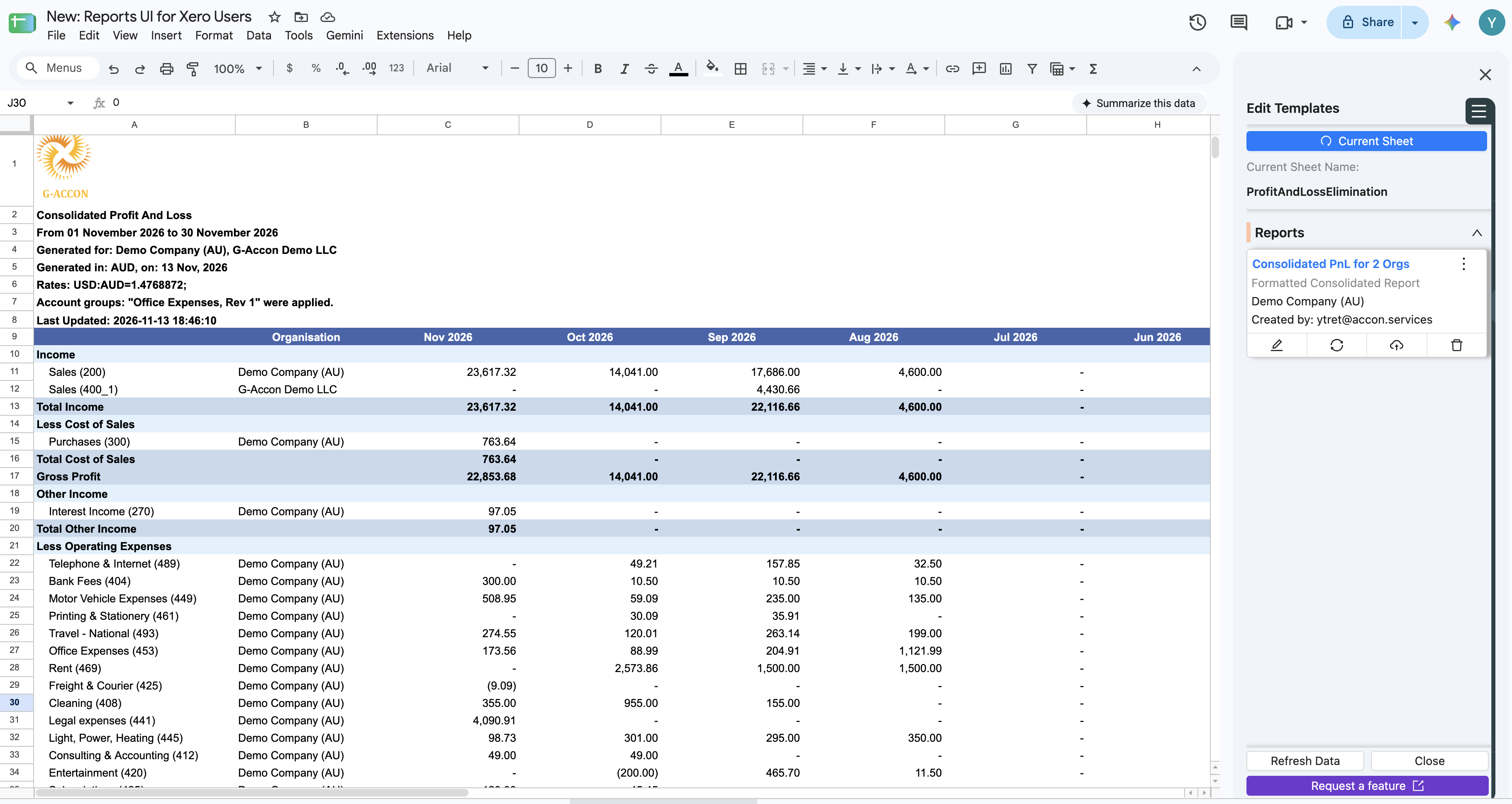
  • Open the Edit Templates panel and click Request a feature at the bottom.
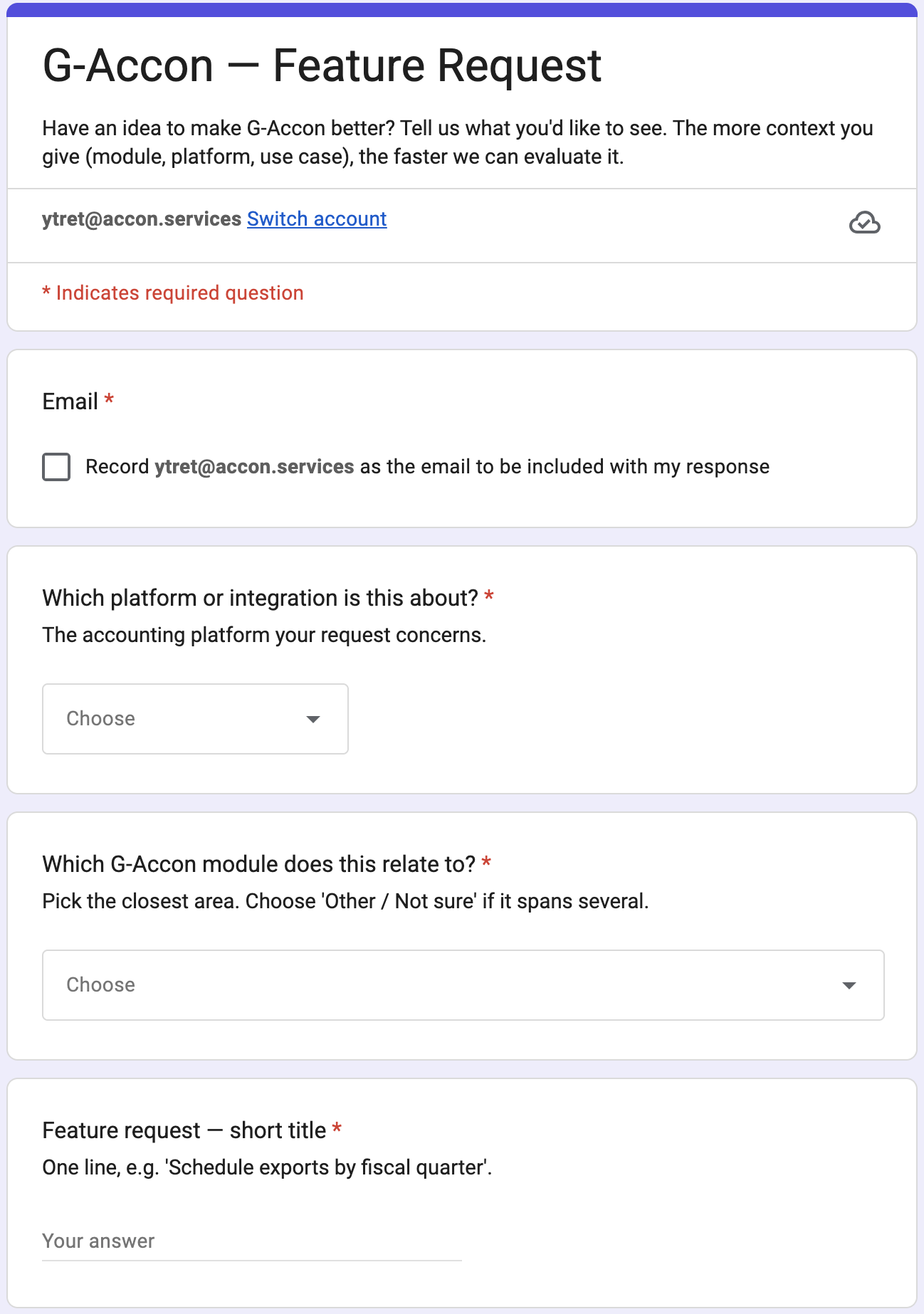
  • Fill in the short form and click Submit. It asks for:
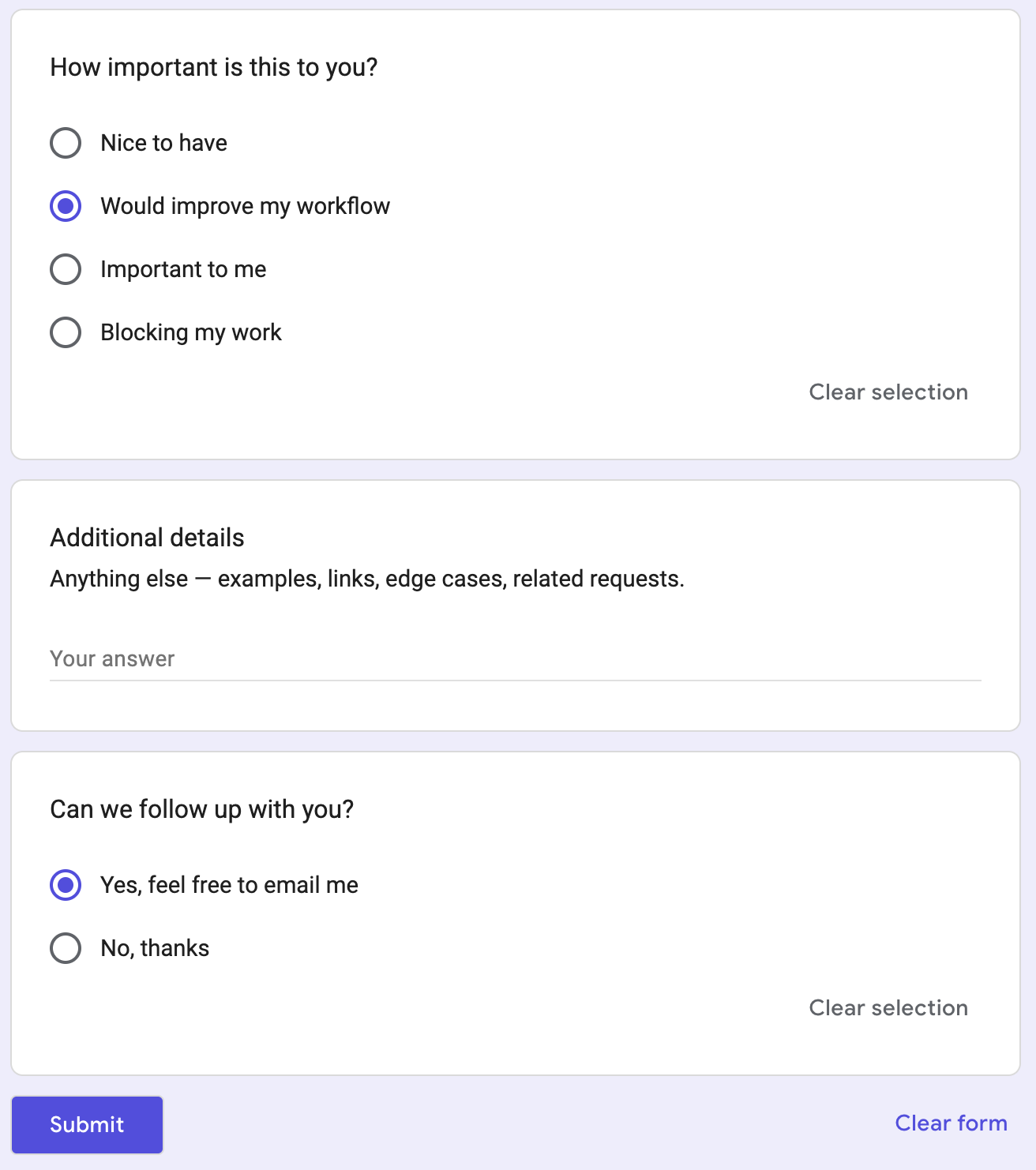
Platform or integrationG-Accon moduleShort titleHow important it isAdditional detailsWhether we can follow up
Edit Templates panel in Google Sheets with the Request a feature button at the bottom
Request a feature, at the bottom of the Edit Templates panel.
See the form
G-Accon Feature Request form, first questions
The form.
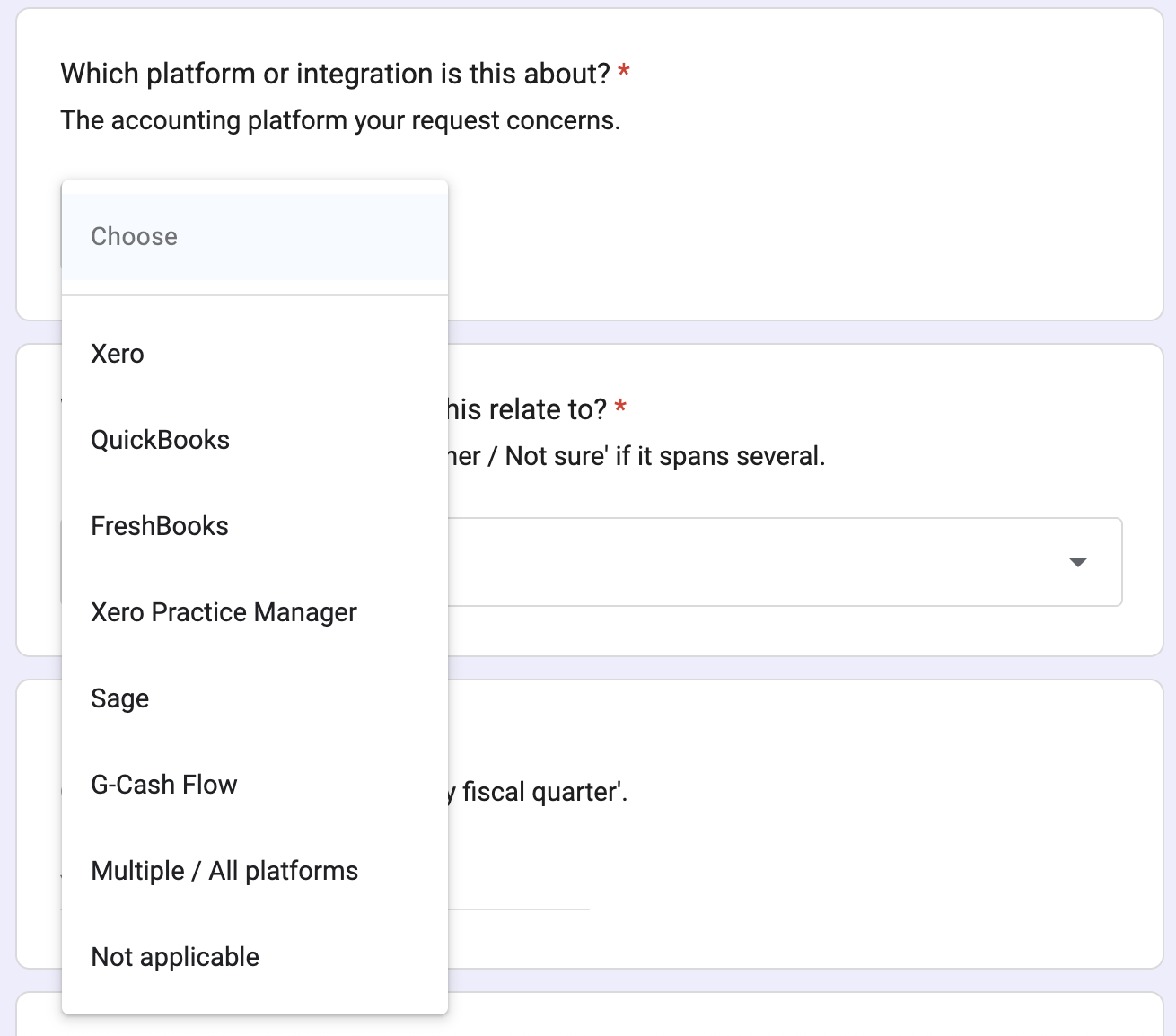
Platform options: Xero, QuickBooks, FreshBooks, Xero Practice Manager, Sage, G-Cash Flow
Pick the platform.
Importance, additional details and follow-up questions with the Submit button
Importance and follow-up.
Questions about this release?

Our support team is happy to help.

© Copyright 2026 G-Accon
crossmenuchevron-down