
10/30/2018
-
Est. Reading: 1 minute

Xero Projects - Now Available in Google Drive

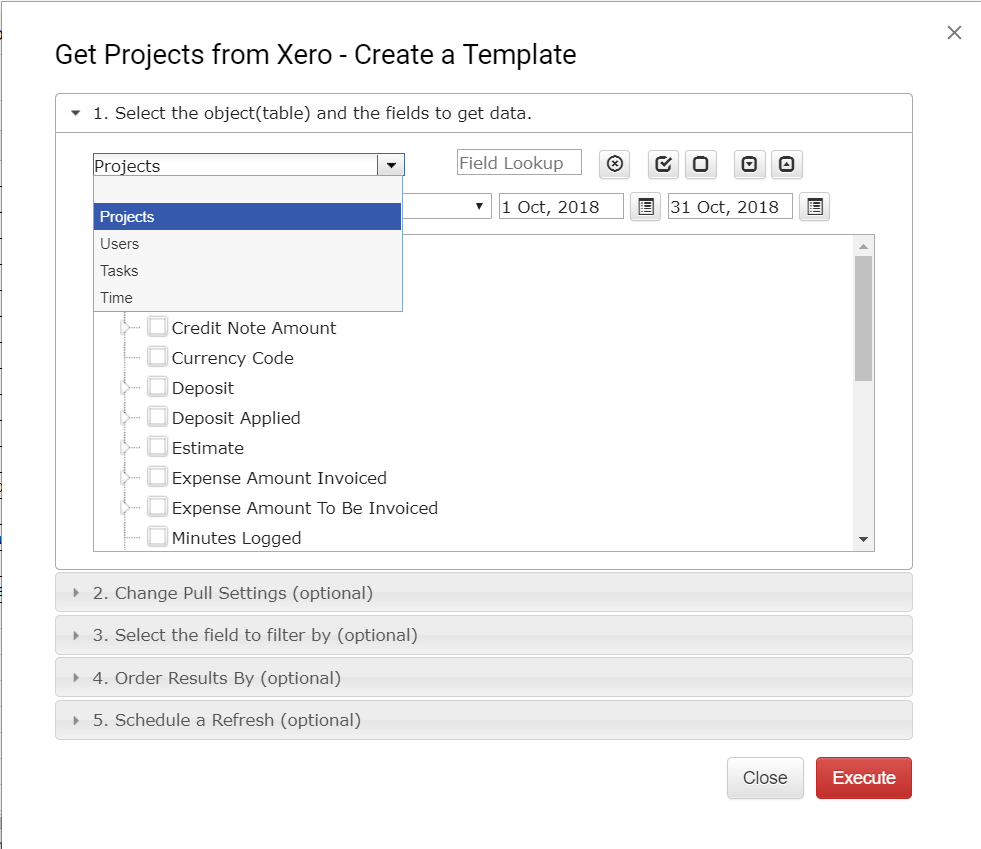
Download Projects, Tasks, Users, and Time into Google Spreadsheet. Refresh anytime in one click or schedule auto-refresh.

It can be done in three easy steps:

1.  Login into your Xero organization and open Get Projects Data window

2. Select the data set

3. Check the results, refresh anytime in one click or schedule auto-refresh

More information can be found here

Note:  If your premium subscription expired, you can still try Xero Projects free for 30 days.

Please send your feedback to support@accon.services or leave a comment here.

 

Author

Join the mailing list

Subscribe

Related Blogs

Explore more articles to deepen your understanding and enhance your workflows. From expert tips to success stories, find the insights you need.
Cohort Analysis
04/16/2026
-
Est. Reading: 10 minutes

How to Do Cohort Analysis in Google Sheets With QuickBooks Online Data

By Andrew Robert Shassetz
Read the article
LiveFlow
04/02/2026
-
Est. Reading: 7 minutes

G-Accon vs LiveFlow: Which Is Best for Accounting Firms in 2026

By Andrew Robert Shassetz
Read the article
Financial Tech Times
03/26/2026
-
Est. Reading: 3 minutes

G-Accon Milestones: Financial Tech Times, Xero Award and SOC 2 Wins

By Andrew Robert Shassetz
Read the article
© Copyright 2026 G-Accon
crossmenu